Reverse-Engineering Earth Engine's Random Visualizer
The randomVisualizer method in Earth Engine assigns randomized colors to unique values in an image, providing a quick shortcut to visualize classified pixels without manually creating a color palette.
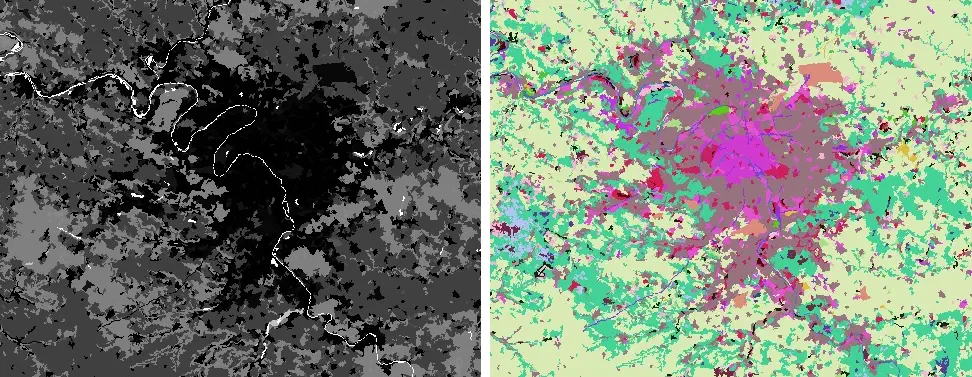
Before and after applying color to a land cover map with randomVisualizer.
The method’s convenience comes with some limitations. Because the palette is computed on-the-fly and applied directly to the image, the only way to know which colors are assigned to which values is to manually or programmatically sample the generated image, which complicates some simple tasks like building legends.
If we knew how randomVisualizer assigns colors, we could predict palettes ahead of time, but the server code is closed-source and the documentation just describes it as “random”. However, with a few reasonable assumptions and a lot of trial and error, maybe we can reverse-engineer our own version of the random visualizer.
The only way to begin is by beginning.
How Does it Work?
The Earth Engine random visualizer is essentially a function that takes numbers as inputs and returns 3 byte RGB components. How? After some brainstorming and research, I settled on four likely algorithms:
- A random number generator
- A lookup table
- A color transformation
- A hash function
I’ll take a closer look at each of those approaches, but first…
Sample Outputs
I wrote a quick script to sample a few thousand unique input-output pairs from the method, which I’ll use to 1) look for patterns that might reveal the underlying algorithm and 2) validate candidate functions.
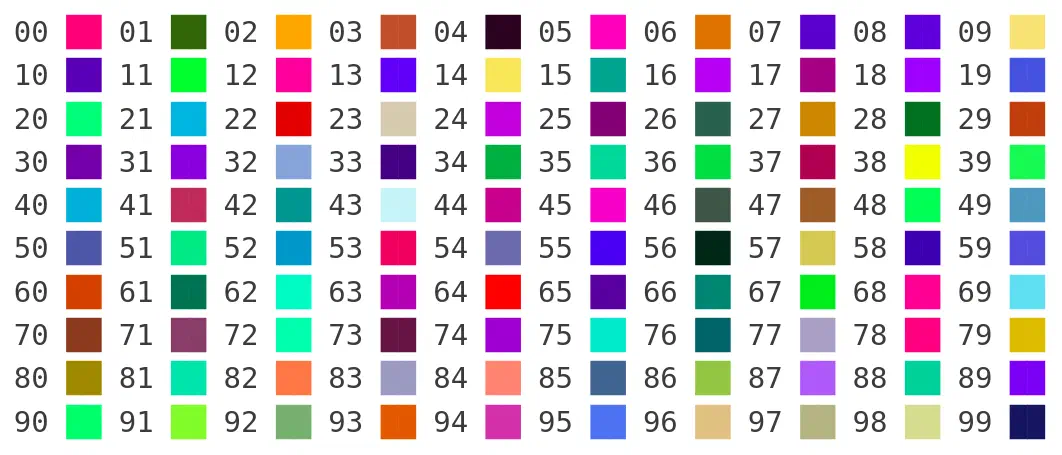
The first 100 positive integral color outputs from randomVisualizer.
Running this script twice generates the same result, which reveals the first big clue. randomVisualizer is deterministic - an input value of 0 always returns an output of #fc2a85 █. Contrary to its name and documentation, the random visualizer is not a simple random number generator.
What About…
A random number generator- A lookup table
- A color transformation
- A hash function
A pre-computed hash map of number-color pairs would be deterministic, fast, and would give you full control to create a color palette that is perceptually distinct, colorblind-accessible, etc. The downsides are a finite palette that repeats at a fixed interval, and having to deal with out-of-range and floating-point lookups1 by wrapping or rounding to the nearest key.
Looking at the sampled outputs, there are no repeating colors with integer inputs between -1,000 and 1,000.
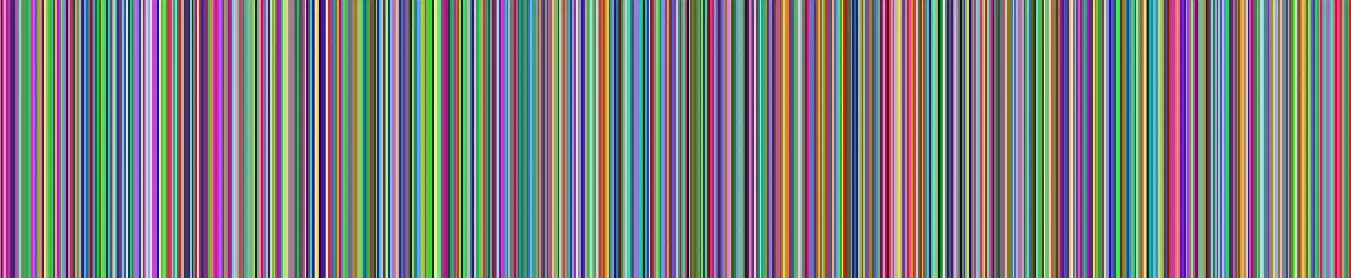
Several thousand unique colors generated from sequential inputs.
On top of that, floats return distinct colors to an arbitrary number of decimal places (i.e. 0.000001 and 0.000002 return different colors), suggesting lookups aren’t rounded.
It’s safe to say this isn’t a lookup table with millions of unique entries, so let’s check that off the list of possibilities.
Maybe It’s…
A random number generatorA lookup table- A color transformation
- A hash function
Another strategy for procedurally generating deterministic color palettes is to apply a consistent transformation scaled by the input value, e.g. offsetting hue with a multiple of the golden ratio. That kind of linear transformation should be visible as a repeating pattern in the output color.
Looking at the first 1,000 colors generated by the Earth Engine random visualizer turned up no repeating patterns in RGB or HSV space.
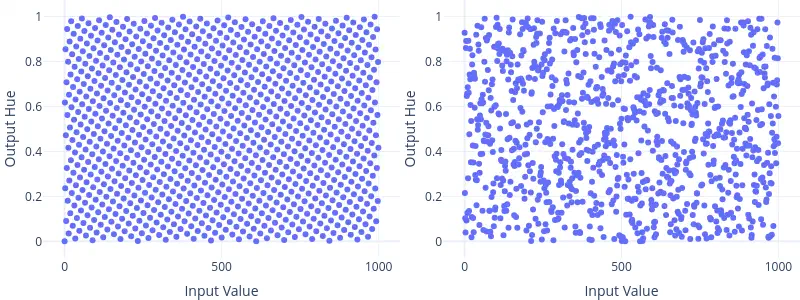
Hues generated by a golden ratio transformation (left) and by randomVisualizer (right).
That just leaves one option.
It Must Be…
A random number generatorA lookup tableA color transformation- A hash function
Converting arbitrary inputs to deterministic, non-repeating, uncorrelated outputs sounds a lot like hashing. I started feeding binary inputs into popular hash functions like MD5, SHA1, and SHA256, but failed to match any Earth Engine outputs.
There’s no such thing as “almost right” with a hash function, since similar inputs hash to dissimilar outputs by design. After exhausting every option in Python’s built-in hashlib, I wasn’t any closer to knowing whether my hash misses were the result of a subtle distinction like mismatched binary endianness or a sign that I was on the wrong track completely.
Until…
The Breakthrough
On a whim, I Googled the expected RGB output (252, 42, 133) for an input value of 0 and found…
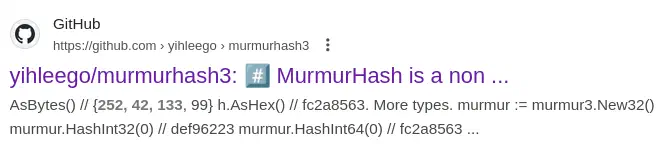
…a Go library implementing an unfamiliar hash function, which included the following code example:
murmur := murmur3.New32()
h := murmur.HashInt(0)

h.AsBytes() // {252, 42, 133, 99}
That’s an input value of 0 mapping to the exact RGB output (ignoring the fourth byte) generated by randomVisualizer. Coincidence? I set up a quick Go project, ran some tests, and sure enough we can accurately reproduce output colors from arbitrary inputs.
Mystery solved 🎉! The Earth Engine random visualizer generates output colors as the MurmurHash of input values.
A Python Random Visualizer
With some careful byte encoding and decoding, I was able to get a compatible MurmurHash implementation running in Python via the mmh3 package.
import mmh3
import struct

def murmur_hash(x: float | int) -> bytes:
    """Generate 3-byte hashes consistent with ee.Image.randomVisualizer."""
    # Encode to 64-bit (double or long long) little-endian
    fmt = "<d" if isinstance(x, float) else "<q"
    encoded = struct.pack(fmt, x)

    # Return the first 3 bytes of the hashed 32-bit int
    return struct.pack("<i", mmh3.hash(encoded))[:3]
Testing against all 2,000 sampled values from Earth Engine confirms this is a byte-accurate recreation of randomVisualizer, and we can even vectorize the hash function to create a complete local implementation of the method to apply to Numpy image arrays.
import numpy as np

def random_visualizer(img: np.ndarray) -> np.ndarray:
    """Convert unique values in an image to deterministic RGB colors."""
    return np.vectorize(
        lambda x: np.array(tuple(murmur_hash(x))),
        signature="()->(k)"
    )(img)
One fewer black box in Earth Engine!
Since it’s designed for classified imagery that’s almost exclusively integral, I was surprised to find that
randomVisualizerdoes work with floating point inputs. ↩︎